Regular expressions filter and search
Search and filter the JSON using regular expressions (https://alljson.com/open-filter)
Alljson allows you to search through the structure of JSON or filter the JSON content using regular expressions.
Examples regular expressions
(Jupiter|Saturn)

Voyager\s*\d
User interface
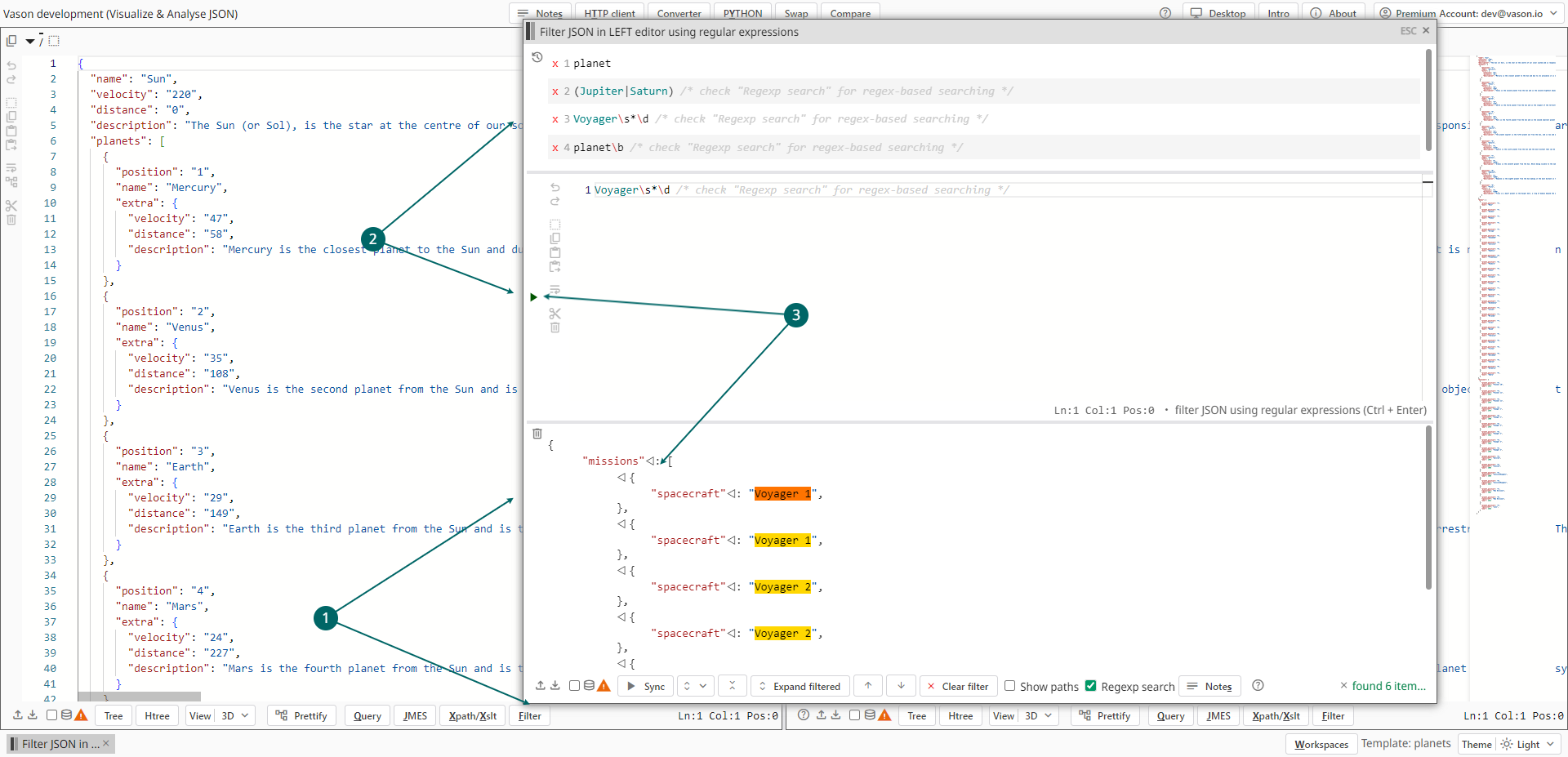

- To open the
Filterwindow and filter JSON or search in JSON from the left panel, click the leftFilterbutton or typeAlt+F. - Regular expressions
- In the middle of the
Filterwindow, there is a text editor where you can write your own regular expression. Click on the run button or useCtrl+Enterto execute it. - To execute a recent query, simply click on the corresponding item in the recent (history) list. A list of recent queries can be found at the top of the "Filter" window.
- In the middle of the
- See the filter/search result below