Arc diagram view
JSON data in an arc diagram form (https://alljson.com/open-arc)
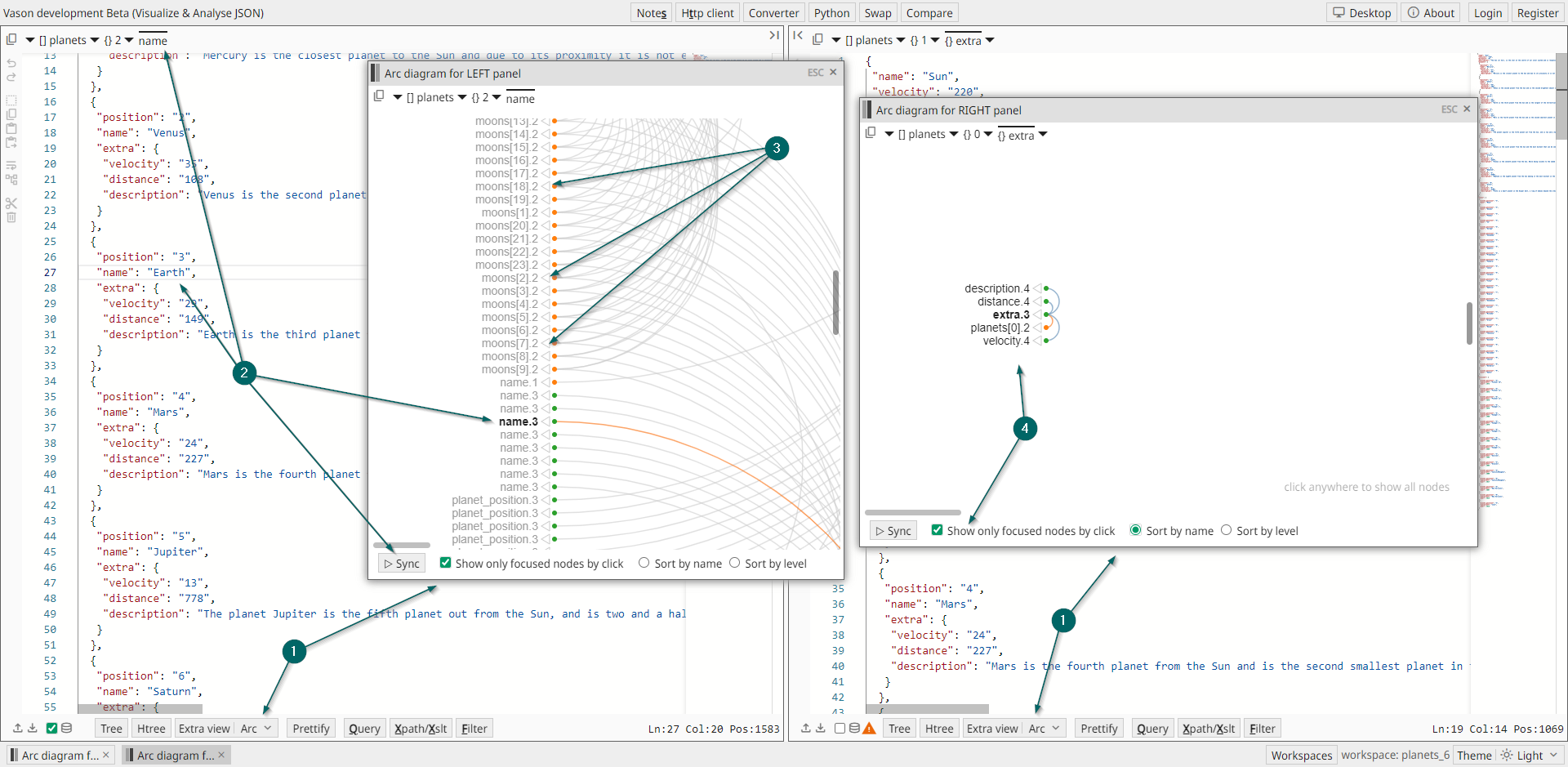
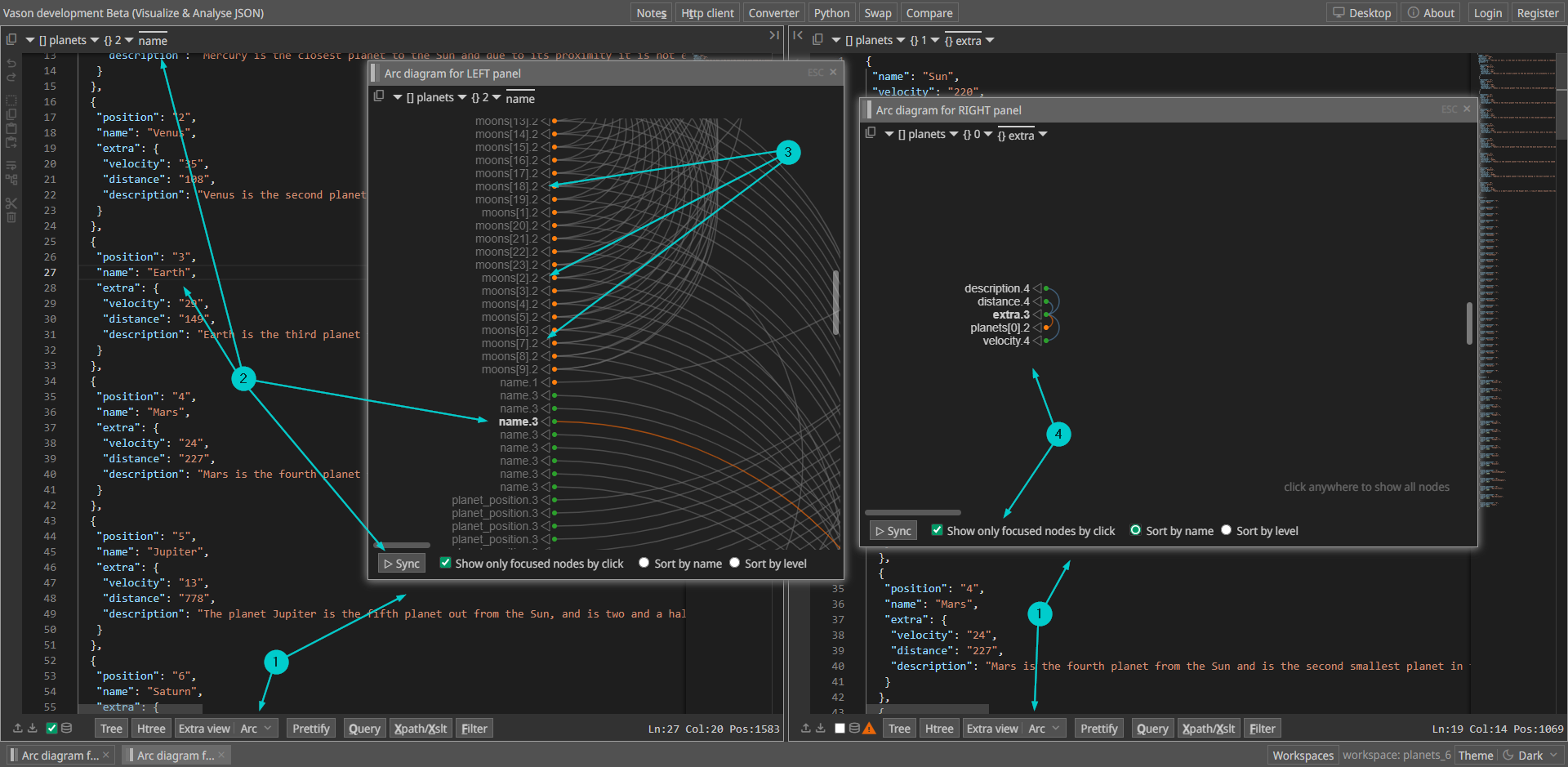
The Arc diagram window allows you to analyze JSON data in an arc diagram form,
providing a visual representation for easier understanding and navigation.
-
Choose the
Arcelement inExtra viewdropdown on either the left or right side to open theArc diagramwindow. Opening theArc diagramwindow from the left side allows you to analyze JSON content from the left JSON panel, while opening it from the right side allows analysis of JSON content from the right JSON panel. -
You can synchronize the arc diagram element with the cursor position at the panel you are analyzing the JSON in. E.g.
- Click somewhere on the JSON text on the left panel
- Then click on the
▷ Syncbutton
-
You may also synchronize the other way around. Just click per arc diagram element on ◁ to position the cursor in the active JSON panel.
-
If the
Show only focused nodes by clickmode is selected, clicking on an element in the diagram will display only the corresponding node, its parent, and child elements. The path to the parent element is shown in orange, and to the child elements in green. The optionsSort by nameandSort by levelallow sorting diagram elements by name or by the level of nested keys.